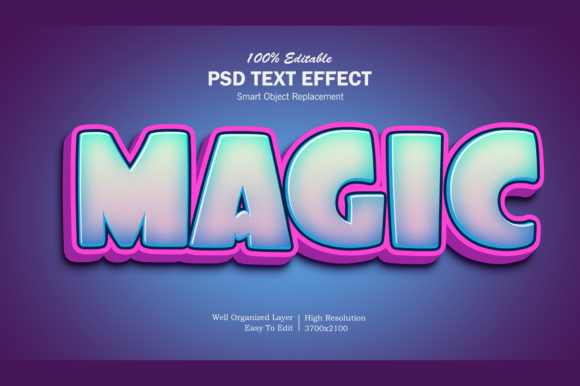
Magic 3D Pop Up Text Effect PSD
In the crowded landscape of digital and print design, standing out often comes down to how you present your message. Standard text is functional, but it rarely commands attention on its own. This is where specialized graphic resources like the Magic 3D Pop Up Text Effect PSD come into play. It is not a font file in the traditional sense, but rather a sophisticated Photoshop template designed to transform ordinary typography into a dynamic, three-dimensional visual statement. For designers, marketers, and content creators looking to add depth and impact without starting from scratch, this resource offers a practical solution that balances aesthetic appeal with workflow efficiency.
Understanding the Visual Appeal
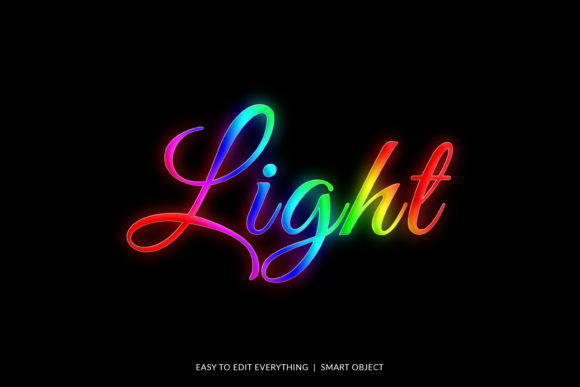
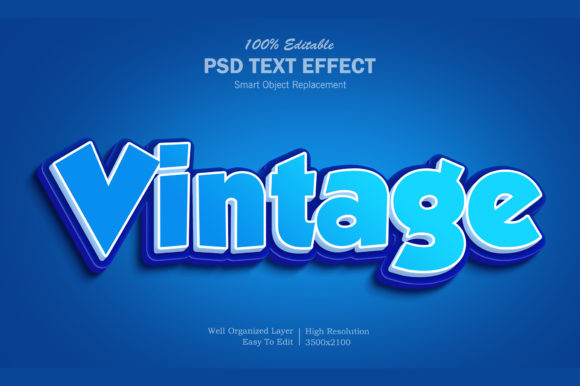
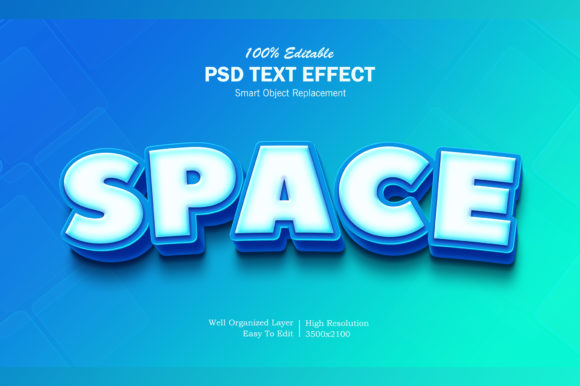
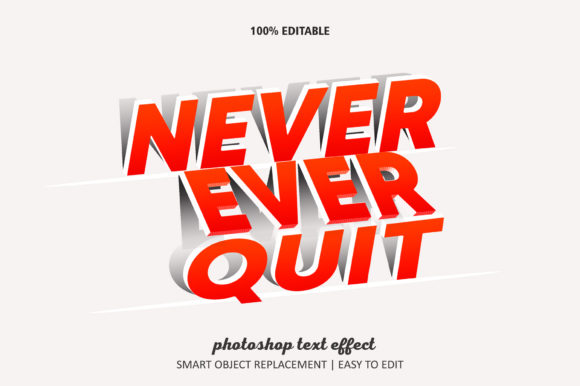
The core strength of this effect lies in its ability to simulate physical depth. When you apply the Magic 3D Pop Up Text Effect PSD, your text doesn’t just sit flat on the canvas; it appears to rise off the surface. This creates an immediate focal point, drawing the viewer’s eye directly to the headline or key message. The style is modern yet playful, making it versatile enough for various contexts. Whether you are designing a YouTube thumbnail that needs to compete with dozens of other videos, or a promotional banner for a local event, the pop-up aesthetic adds a layer of professionalism and polish that generic text lacks.
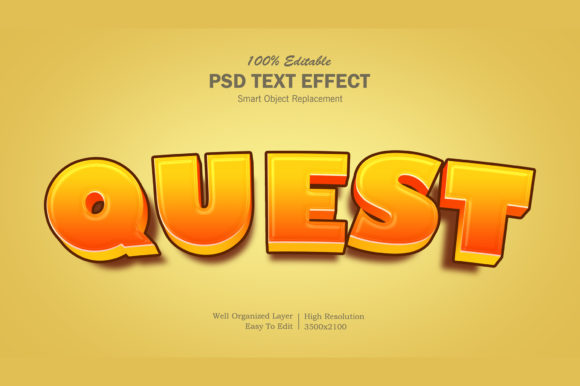
Visually, the effect typically involves shadows, highlights, and perspective shifts that mimic real-world lighting. This gives the text a tangible quality, as if it were crafted from plastic, metal, or glossy paper. For brand identity projects, this kind of treatment can elevate a simple logo or slogan, giving it a premium feel. It bridges the gap between flat design trends and more illustrative, textured styles, offering a middle ground that feels both contemporary and substantial.
Streamlining Your Design Workflow
One of the most significant advantages of using a PSD-based effect over manual 3D modeling is speed and ease of use. The Magic 3D Pop Up Text Effect PSD is built around smart objects, which is a game-changer for non-designers and busy professionals alike. Smart objects allow you to replace the placeholder text with your own content simply by double-clicking the layer. Once you type your new text and save the changes within the smart object window, the entire effect updates automatically across the main file. This eliminates the need to manually adjust kerning, drop shadows, or bevels for every new project.
This feature is particularly valuable for social media managers who need to produce daily graphics for platforms like Facebook, Twitter, or Instagram. Instead of spending hours recreating the same 3D look, you can generate a high-quality image in minutes. The well-organized layers also mean that if you want to tweak the color scheme or adjust the angle slightly, you have full control without breaking the underlying structure. This level of editability ensures that the final output matches your specific brand guidelines while maintaining the integrity of the 3D effect.
Ideal Applications Across Industries
The versatility of the Magic 3D Pop Up Text Effect PSD makes it suitable for a wide array of creative endeavors. In the realm of web design, it can serve as a striking header element or a call-to-action button background that encourages clicks. For digital marketing, it is perfect for creating eye-catching email headers or ad banners where space is limited but impact must be high.
- Social Media Graphics: Enhance engagement on platforms like Pinterest or Instagram by turning quotes, announcements, or product names into bold, readable headlines.
- Promotional Materials: Use it for flyers, posters, and placards where large, legible text is crucial for grabbing attention from a distance.
- Brand Assets: Incorporate the effect into logo presentations or packaging design mockups to showcase products in a dynamic way.
- Personal Projects: Create custom greeting cards, t-shirt designs, or illustrations that require a unique, hand-crafted feel without the time investment of illustration.
For entrepreneurs and small business owners, this tool democratizes high-end design. You don’t need advanced skills in 3D software to achieve results that look professionally rendered. This accessibility allows businesses to maintain a consistent visual language across all their touchpoints, from digital ads to printed merchandise, strengthening overall brand recognition.
Practical Considerations for Implementation
While the Magic 3D Pop Up Text Effect PSD is powerful, it is important to use it strategically. Because the effect adds visual weight and complexity, it works best with short, impactful text. Long paragraphs will become difficult to read when subjected to 3D transformations, so reserve this style for titles, headlines, or key phrases. Pairing it with a clean sans serif font for body copy helps maintain readability and prevents the design from becoming cluttered.
When evaluating such design assets, always check the resolution and layer organization. High-resolution files ensure that your text remains crisp even when scaled up for large format prints like banners or billboards. Additionally, reviewing the included help file or readme instructions can provide valuable insights into customization options, such as changing background colors or adjusting shadow intensity. This preparation saves time during the actual design process and ensures that the final output meets professional standards.
Ultimately, the value of the Magic 3D Pop Up Text Effect PSD lies in its ability to enhance communication through visual hierarchy. By making your most important words pop, you guide your audience’s attention exactly where you want it. Whether you are launching a new product, promoting an event, or simply trying to make your blog posts more engaging, this resource provides a reliable, efficient way to elevate your typography. It is a testament to how thoughtful design tools can streamline creativity, allowing you to focus on the message rather than the mechanics of execution.