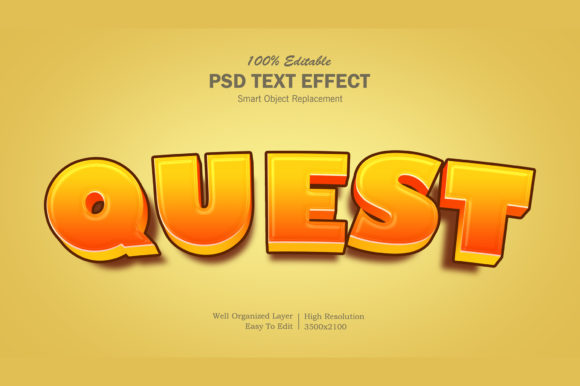
3D Cartoon Style Photoshop Text Effect
When you are designing for an audience that values fun, energy, and immediate visual impact, standard typography often falls flat. This is where a 3D Cartoon Style Photoshop Text Effect steps in to save the day. It isn’t just about making letters look "cartoony"; it is about creating depth, personality, and a tactile quality that draws the eye instantly. Whether you are a seasoned graphic designer looking to speed up your workflow or a small business owner trying to make your social media posts pop, this graphic resource offers a streamlined path to professional-looking results.
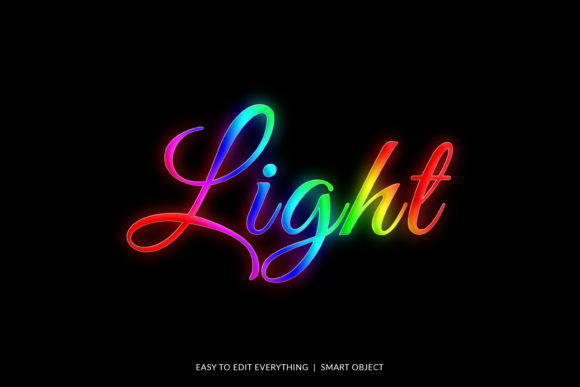
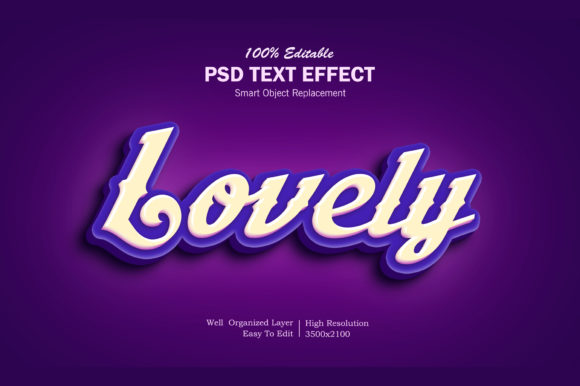
The core appeal of this effect lies in its balance between playful aesthetics and technical precision. Visually, it mimics the bold, rounded, and slightly exaggerated forms found in classic animation and modern web cartoons. The 3D aspect adds volume, giving your text a physical presence on the screen or page. It feels like you can reach out and touch the letters. This style brings a sense of whimsy and approachability to any project, breaking down barriers between the brand and the consumer. For entrepreneurs and marketers, this translates to higher engagement rates because human brains are wired to respond to bright colors, clear shapes, and friendly faces—or in this case, friendly letterforms.
Why Smart Objects Change Your Workflow
One of the most significant advantages of using this specific design asset is the underlying file structure. Many beginners dread opening complex Photoshop files, fearing they will break something or struggle to find the right layer. However, this resource utilizes smart objects, which fundamentally changes how you interact with the design. You do not need to be a typography expert to get great results; you simply need to know how to replace content.
The process is remarkably intuitive. When you open the PSD file, you will see a clearly labeled smart object named "Your Text." By double-clicking this object, you enter a separate editing space where you can type your own message. Once you finish typing and save the changes (usually by pressing Ctrl+S or Cmd+S), the main file updates automatically. The 3D shading, lighting, and cartoon styling remain perfectly intact, while your custom words take their place. This feature eliminates hours of manual adjustment, allowing you to focus on the creative strategy rather than the technical execution. It ensures consistency across multiple projects, meaning your banner ads, YouTube thumbnails, and event posters all share the same high-quality aesthetic.
Where This Style Fits Best
The versatility of a 3D Cartoon Style Photoshop Text Effect extends far beyond simple novelty. While it might seem suited only for children’s content, its application is surprisingly broad when used correctly. The key is understanding the context and tone you wish to convey.
- Social Media Graphics: In the crowded feed of Instagram, Facebook, or Twitter, bold text stops the scroll. This effect works exceptionally well for promotional banners, limited-time offers, and engaging quotes. The 3D depth helps the text stand out against busy background images.
- Digital Content Creation: If you run a YouTube channel or a blog focused on entertainment, gaming, or lifestyle, this font style aligns perfectly with the energetic vibe of your audience. It serves as an excellent tool for video titles, thumbnail overlays, and channel branding elements.
- Print Promotions: Don’t limit this style to the digital realm. It translates beautifully to flyers, placards, and poster designs. The vibrant, cartoonish look grabs attention in physical spaces, such as local community boards, school events, or retail window displays.
- Merchandise and Apparel: T-shirt designers and clothing brands often use cartoon-style graphics to appeal to younger demographics or those seeking casual, fun fashion. This effect provides the necessary weight and clarity for screen printing or direct-to-garment printing.
- Brand Identity Elements: For startups or personal brands aiming for a friendly, accessible image, incorporating this text style into logo presentations or greeting cards can establish a distinct personality. It signals that the brand does not take itself too seriously but still delivers high-quality work.
Evaluating Readability and Design Fit
While the visual appeal is undeniable, practical design considerations must always guide your usage. A creative font like this one functions primarily as a display element. It is designed to be read at a glance, not to carry long paragraphs of information. When integrating this effect into your projects, remember that readability decreases as complexity increases. Avoid using it for body text or detailed instructions. Instead, reserve it for headlines, slogans, and short phrases where impact matters more than nuance.
Consider the color palette carefully. Cartoon styles often rely on high-contrast colors to enhance the 3D illusion. Ensure that your text color contrasts sufficiently with the background to maintain legibility. If you are pairing this with other typefaces, stick to simple, clean fonts for secondary information. A neutral sans serif font can provide a stable foundation that allows the cartoon text to shine without competing for attention. This approach creates a clear visual hierarchy, guiding the viewer’s eye from the main headline to the supporting details seamlessly.
Furthermore, review the included styles before finalizing your design. High-resolution assets ensure that your text remains crisp whether viewed on a mobile phone or printed on a large billboard. Check the layer organization within the PSD file to understand how shadows, highlights, and textures are applied. This knowledge empowers you to tweak the effect if needed, perhaps adjusting the lighting angle to match the mood of your overall composition. Understanding these nuances helps you avoid common pitfalls, such as muddying the text with too many decorative elements.
Practical Tips for Implementation
To get the most out of this resource, treat it as part of a larger design system. Start by defining the goal of your project. Are you trying to sell a product? Entertain an audience? Inform readers about an event? The answer will dictate how heavily you lean into the cartoon aesthetic. For a serious corporate event, you might use this style sparingly, perhaps for a single accent word. For a family-friendly festival, you might apply it across all major headings.
Always test your designs in real-world contexts. View your social media covers on different devices to ensure the text scales properly. Print a draft of your flyer to check how the colors reproduce on paper. These small steps prevent costly mistakes and ensure that your final output matches your vision. Additionally, keep the help file provided with the download handy. It often contains troubleshooting tips and best practices specific to the file structure, saving you time when you encounter unexpected issues.
Ultimately, the value of a 3D Cartoon Style Photoshop Text Effect lies in its ability to elevate ordinary text into a memorable visual statement. By leveraging smart objects for efficiency and applying thoughtful design principles, you can create materials that resonate with your audience. Whether you are crafting a website element, a movie title sequence, or a simple greeting card, this tool provides the flexibility and quality needed to produce professional results quickly. Embrace the fun, experiment with variations, and let your creativity drive the design process.