Evaluating the 3D Lovely Photoshop Text Effect: A Practical Guide for Designers
In the realm of digital graphic design, typography is often the first point of contact between a brand and its audience. The difference between a flat, generic headline and a dynamic, textured title can mean the difference between being ignored and being remembered. For designers seeking to add depth and visual interest without spending hours manually crafting complex layer styles, resources like the 3D Lovely Photoshop Text Effect offer a compelling solution. This article provides an in-depth analysis of this specific graphic resource, evaluating its functionality, workflow efficiency, and suitability for various professional applications.
Understanding the Core Concept
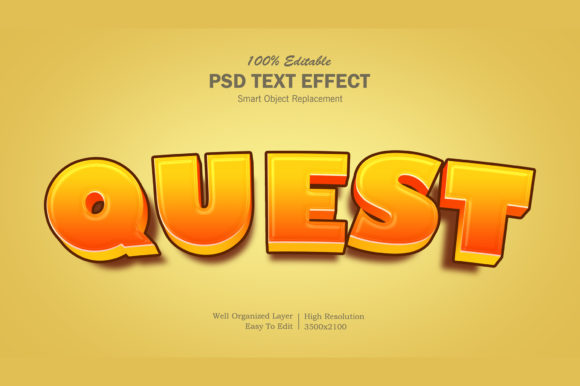
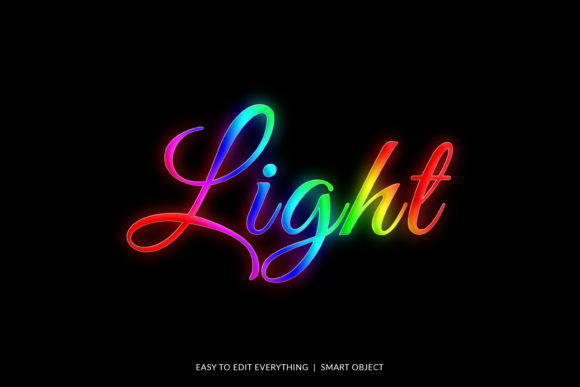
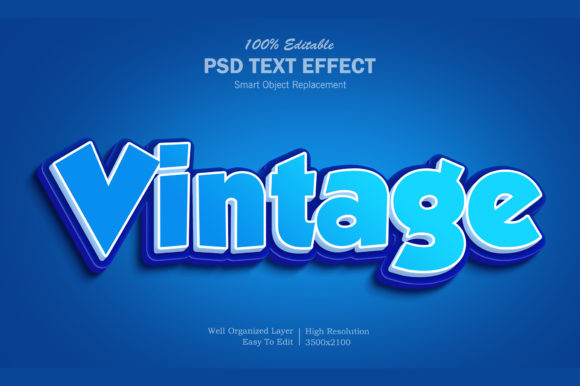
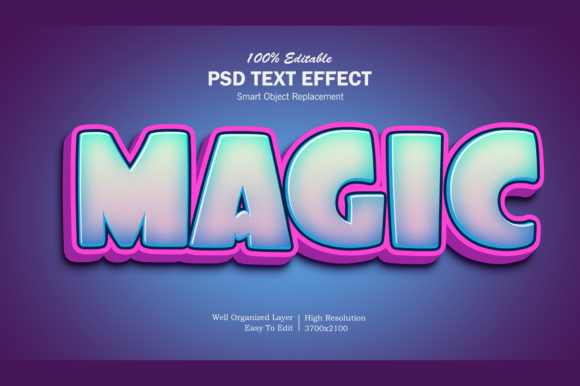
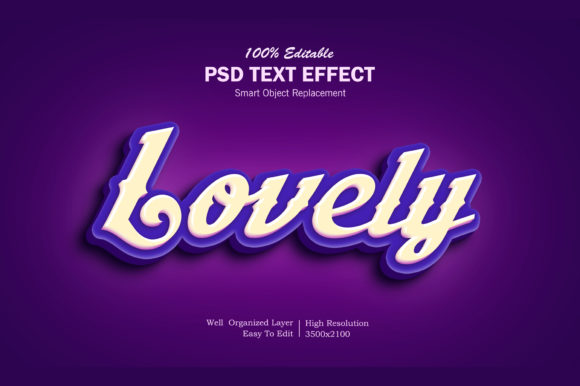
The 3D Lovely Photoshop Text Effect is not merely a preset; it is a structured file designed to streamline the creation of high-quality, three-dimensional text graphics. At its heart, it utilizes Adobe Photoshop’s smart object technology to decouple the aesthetic styling from the editable text content. This distinction is crucial for professionals who need to iterate quickly or produce multiple variations of a design for different clients or platforms.
Unlike traditional methods where a designer might manually apply bevels, shadows, gradients, and textures to each letter individually—a process prone to inconsistency and time-consuming—the 3D Lovely Photoshop Text Effect automates this complexity. It provides a pre-built framework that mimics sophisticated 3D rendering techniques. The result is a polished, "lovely" aesthetic that feels custom-made, yet it is generated through a highly standardized and repeatable process.
Workflow Efficiency and Ease of Use
One of the primary factors influencing a designer’s choice of tools is the balance between output quality and time investment. The 3D Lovely Photoshop Text Effect excels in this area by offering a streamlined editing workflow. The process is intentionally simplified to reduce friction:
- Smart Object Integration: The core of the effect relies on a smart object named "Your Text." By double-clicking this element, the designer opens a separate working space.
- Direct Text Replacement: Inside the smart object, the placeholder text can be replaced with the desired copy. Changes made here are non-destructive and automatically update across the main document.
- Instant Application: Once the text is saved within the smart object, the changes appear immediately on the main canvas. There is no need to re-apply filters, adjust lighting angles, or rebuild layers.
This workflow significantly reduces the learning curve for junior designers while saving valuable billable hours for senior professionals. It allows users to focus on composition and color theory rather than the technical minutiae of layer blending modes.
Versatility Across Design Categories
A common limitation of specialized text effects is their narrow application scope. Some presets look great for logos but fail when applied to long-form body text or social media banners. The 3D Lovely Photoshop Text Effect demonstrates remarkable versatility, making it suitable for a wide array of project types. Its high-resolution structure ensures that it remains crisp whether used for small mobile screens or large-format print materials.
Practical use cases include:
- Social Media Assets: Creating eye-catching Facebook covers, YouTube channel art, or Twitter headers where bold, readable text is essential for engagement.
- Promotional Materials: Designing banner promotions, flyers, and posters where the text needs to pop against busy backgrounds.
- Branding Elements: Developing cartoon titles, movie-style titles, or logo presentations that require a sense of motion or depth.
- Merchandise Design: Applying the effect to T-shirt designs, clothing lines, and greeting cards, where texture and dimension translate well to physical products.
- Digital Illustrations: Enhancing illustrations with stylized titles or placards that match the overall artistic direction.
Technical Specifications and File Structure
For those who value organization and scalability, the technical build of the 3D Lovely Photoshop Text Effect is noteworthy. The file is described as having well-organized layers, which is a critical feature for collaborative workflows or future edits. When a designer receives a PSD file, they should be able to navigate the layers panel without confusion. This level of organization suggests that the creator has prioritized usability, ensuring that elements like shadows, highlights, and base colors are separated logically.
The inclusion of a "Read Me.txt" help file indicates a user-centric approach. This documentation likely contains instructions on font compatibility, resolution settings, and troubleshooting tips for common issues. Furthermore, the provision of both a PSD file and a flattened image file offers flexibility. The PSD allows for full customization, while the image file serves as a ready-to-use asset if further editing is unnecessary.
Comparative Analysis: Presets vs. Manual Creation
To understand the true value of the 3D Lovely Photoshop Text Effect, it is helpful to compare it against two other common approaches: manual layer styling and using generic online generators.
Manual Layer Styling
Creating 3D text manually gives a designer absolute control over every pixel. However, this method is labor-intensive. Achieving consistent lighting and realistic reflections requires advanced knowledge of Photoshop’s layer styles and blend-if sliders. For projects with tight deadlines, the time cost of manual creation often outweighs the benefit of total control. The 3D Lovely Photoshop Text Effect bridges this gap by providing near-manual quality with preset speed.
Generic Online Generators
Online text-to-image tools are accessible but often lack the nuance and resolution required for professional work. They may produce artifacts, limited color palettes, or low-resolution outputs that pixelate when scaled. In contrast, the 3D Lovely Photoshop Text Effect is built for high resolution and integrates seamlessly into existing Photoshop projects, allowing for seamless compositing with other design elements.
Limitations and Considerations
No single tool is a silver bullet. While the 3D Lovely Photoshop Text Effect is robust, there are tradeoffs to consider. Because it is a preset-based system, the stylistic options are bounded by the original design. If a project requires a highly unconventional texture or a unique lighting scenario that deviates significantly from the preset’s intent, the user may find themselves fighting against the tool rather than with it. In such cases, starting from scratch or modifying the smart objects extensively might be necessary, which could negate some of the initial time savings.
Additionally, users must ensure they have compatible fonts. While the effect itself is independent of the font family, certain typefaces may not render optimally with specific 3D bevels or extrusions. Testing different fonts within the smart object is recommended to find the best visual harmony.
Who Is This Resource Best Suited For?
The 3D Lovely Photoshop Text Effect is ideal for freelance graphic designers, marketing specialists, and hobbyists who need to produce high-impact visual content regularly. It is particularly beneficial for those who:
- Work under strict time constraints and need rapid turnaround times.
- Lack advanced expertise in complex Photoshop layer styles but still desire professional results.
- Create content for multiple platforms (web, print, social) and need a consistent, scalable text style.
- Are looking to enhance existing projects with a touch of elegance and depth without disrupting the overall layout.
Conversely, experienced typographers or artists seeking to develop a completely unique, hand-crafted signature style might find this resource too restrictive. For them, the manual approach offers the creative freedom necessary to push boundaries.
Final Verdict
The 3D Lovely Photoshop Text Effect represents a practical intersection of quality and convenience. It does not claim to replace the deep technical skills of a master designer, nor does it attempt to do so. Instead, it serves as a powerful enhancer for everyday design tasks. By leveraging smart objects and organized layer structures, it empowers users to create stunning 3D text visuals with minimal effort.
For anyone evaluating resources to improve their workflow, this tool stands out due to its ease of use, high-resolution output, and broad applicability across various design mediums. Whether you are designing a simple greeting card or a complex promotional banner, the 3D Lovely Photoshop Text Effect offers a reliable, professional-grade solution that respects your time while delivering impressive visual results.